
ViCalc is an open-source touch-typing scientific calculator with a key-preselection function. It turns your PC keyboard – especially the numeric keypad – into a scientific calculator, while full mouse support is also available.
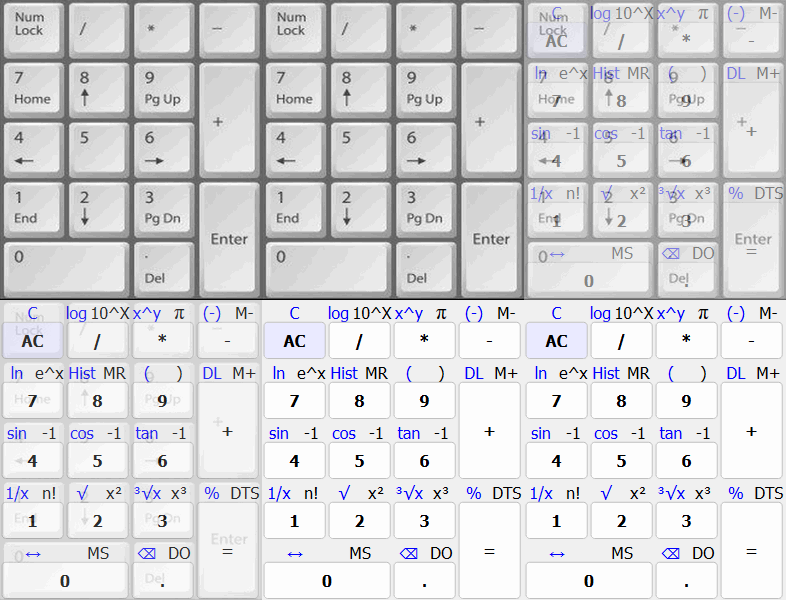
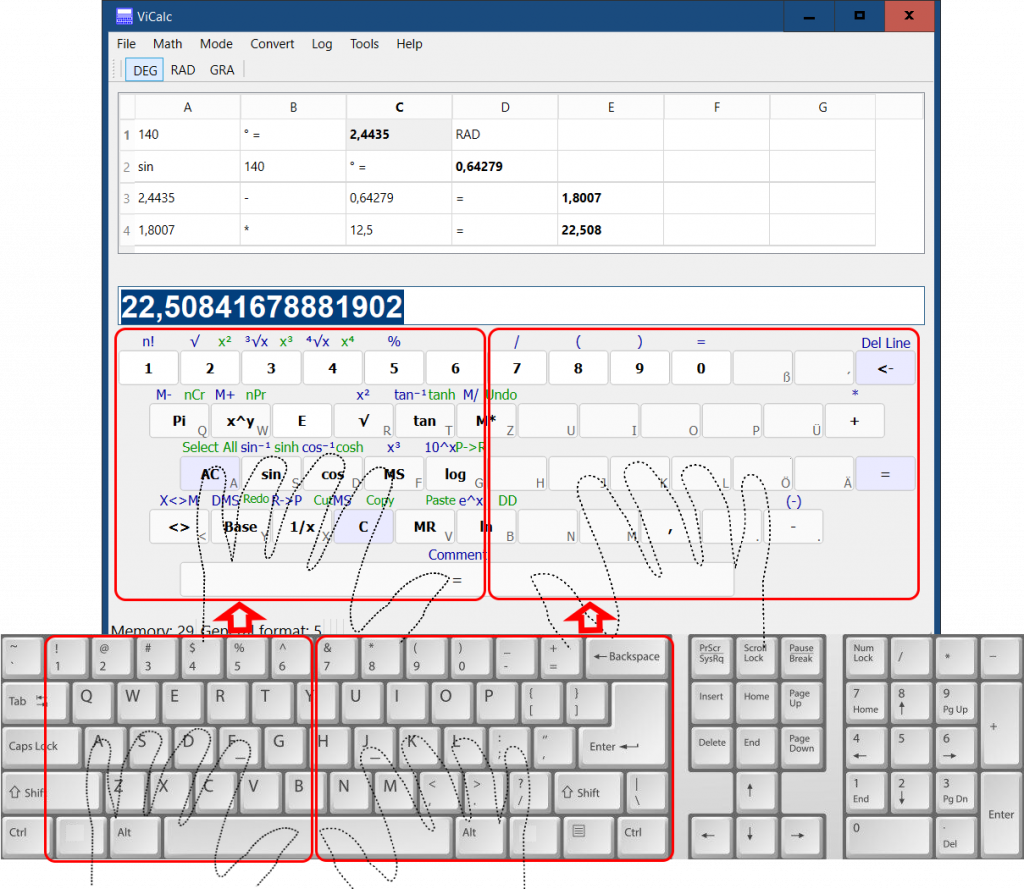
The upper part of the ViCalc window displays the calculation history. The lower part shows the left section of the main keyboard area and the numeric keypad.
Keyboard Operation Modes
ViCalc supports two keyboard operation modes.
Mode1
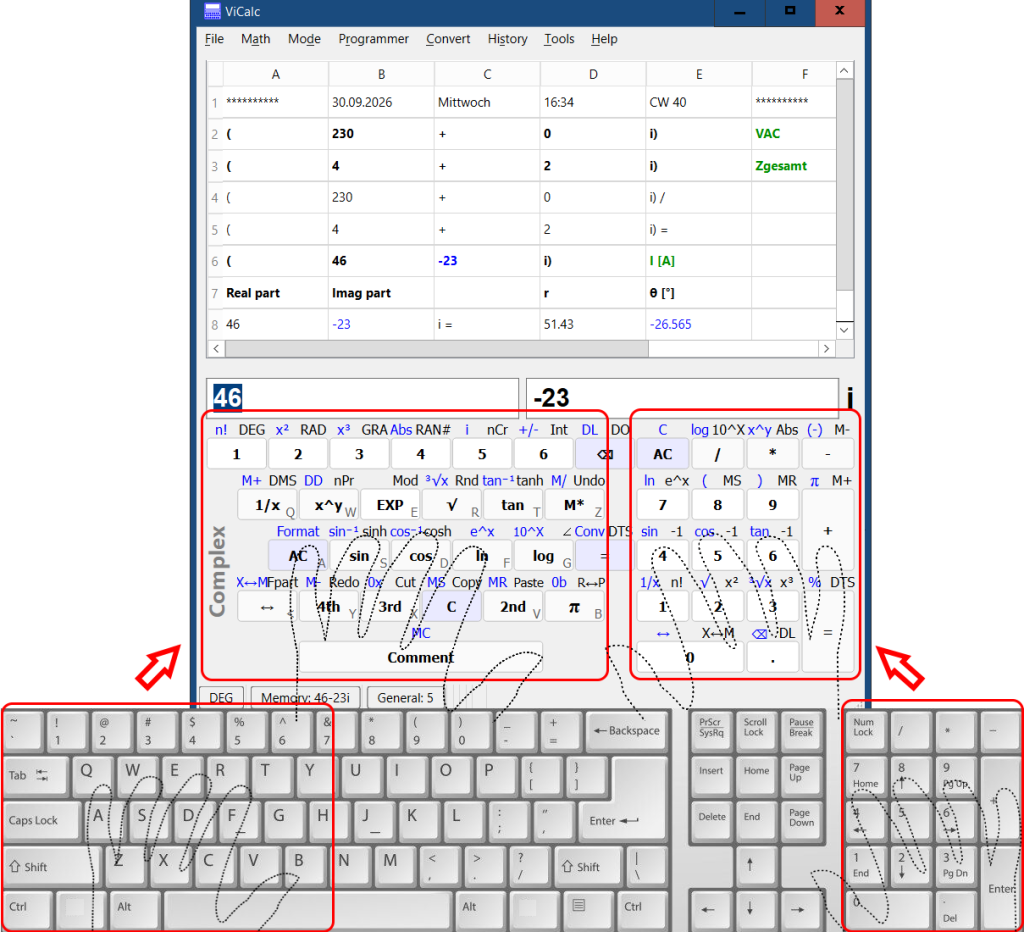
In this mode, the left hand remains in the standard touch-typing position (ASDF), while the right hand operates the numeric keypad (see picture above).
The numeric keypad functions as a scientific calculator. The left hand is used for additional input functions:
- E key – enter the exponent (scientific notation)
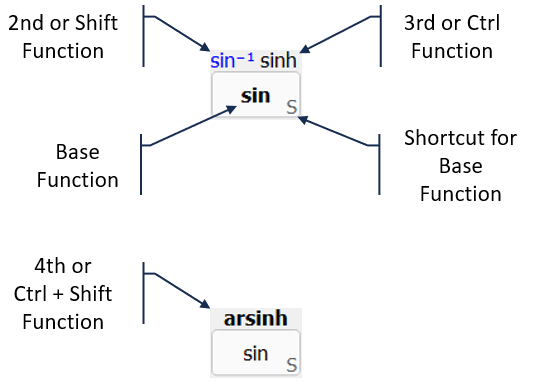
- Shift – access the second function of a key (see picture below)
- Ctrl – access the third function of a key
- Ctrl+Shift – acces the fourth function of a key
- Additional scientific functions (for example polar coordinates) that are not available directly on the numeric keypad
Mode 2
If the user prefers the traditional touch-typing position (ASDF and JKL:), or if a full-size keyboard with a numeric keypad is not available (for example on notebooks), ViCalc provides Operation Mode 2 (see picture below).
Although this section of the keyboard is not displayed on the screen, it is fully supported. It is used for entering the symbols exactly as they appear on the keyboard, including:
- Numbers 7, 8, 9, 0
- Parentheses ()
- + − * /
- ., =
- underscore for negative sign
- Backspace
- Enter
- Shift
- Control
Key-Preselection Function
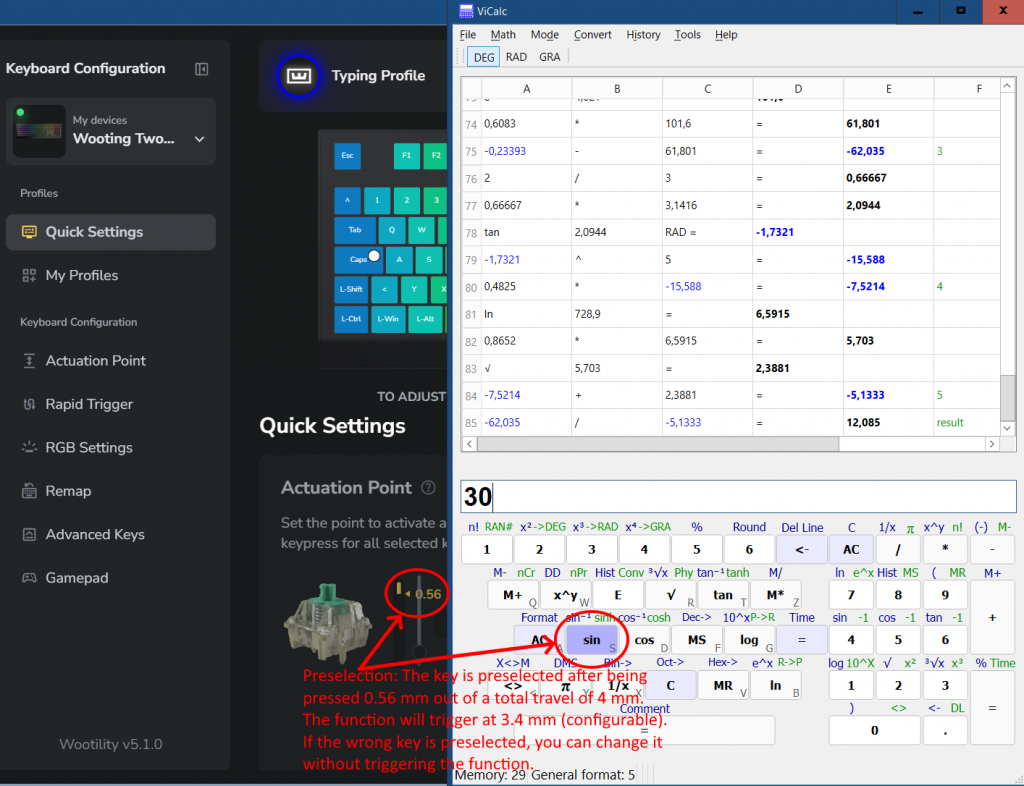
The Key-Preselection feature allows you to preview a key before its function is executed.
This function requires a keyboard with analog input. ViCalc was developed and tested using the Wooting Two HE keyboard. With a standard keyboard, ViCalc works fully, but the Key-Preselection feature is not available.
When a key is lightly pressed, the corresponding function is highlighted (preselected) on the screen. If this is the desired function, you can press the key fully to execute it.
If the highlighted function is not the intended one, you can simply release the key and correct your input without triggering the wrong function.
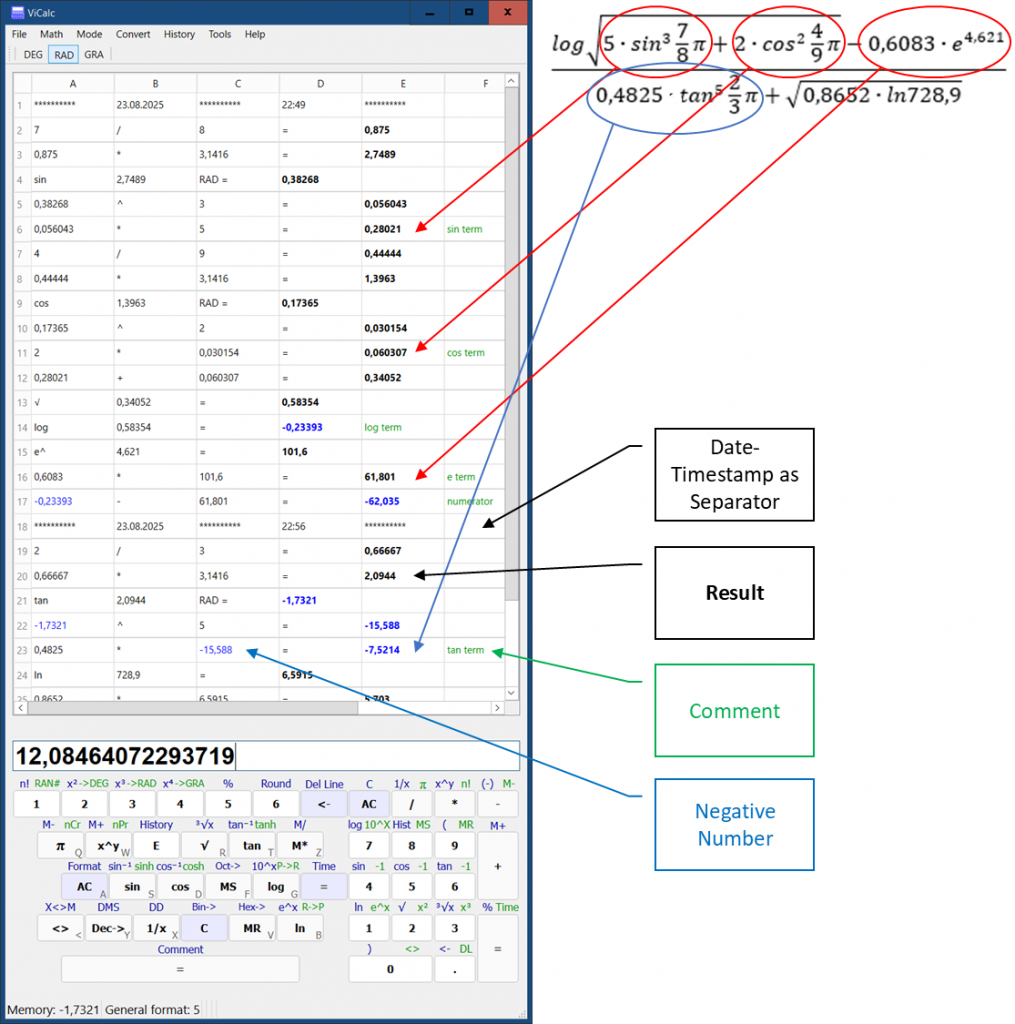
Calculation Example
Key Features
- Touch-Typing Optimized: Keys are split for left-hand (left keyboard side) and right-hand (right side or numeric keypad) operation, enabling fast ten-finger typing.
- Expression line shows current calculation
- Calculation History: Automatically records output, allowing you to review or reuse past calculations.
- Mouse Support: Use the mouse for a traditional calculator experience.
Calculation Modes
- Scientific
- Complex numbers
- Programmer (Base-N): binary, octal, decimal, hexadecimal
Functions
- Arithmetic operations
- Brackets
- Memory
- Ans (calculation history)
- Protocol
- Percents incl. percentage change Δ%
- Trigonometric and inverse trigonometric functions
- Hyperbolic and inverse hyperbolic functions
- Grad, degree and radian. Angle conversion
- Constant Pi
- Exponential functions
- Absolute value
- Integer part
- Fractional part
- Reciprocal
- Power and root
- Logarithms (base 10, natural, and arbitrary base)
- Factorial, Combinations and Permutations
- Random number
- Rounding Function
- Coordinate conversion Rectangular <-> Polar
- Conversion Sexagesimal <-> Decimal (DMS <-> DD)
- Sci/Fix/Eng number format
- Hexadecimal, decimal, octal and binary conversion
- Input box / Memory swap
- Scientific constants
- Units conversion
- American wire gauge (AWG) conversion
- Ratio calculation
- Linear function
- Quadratic equation
- Linear System of Two Equations
History
Originating in 2003, ViCalc was rewritten in Python to modernize it.